Last updated:
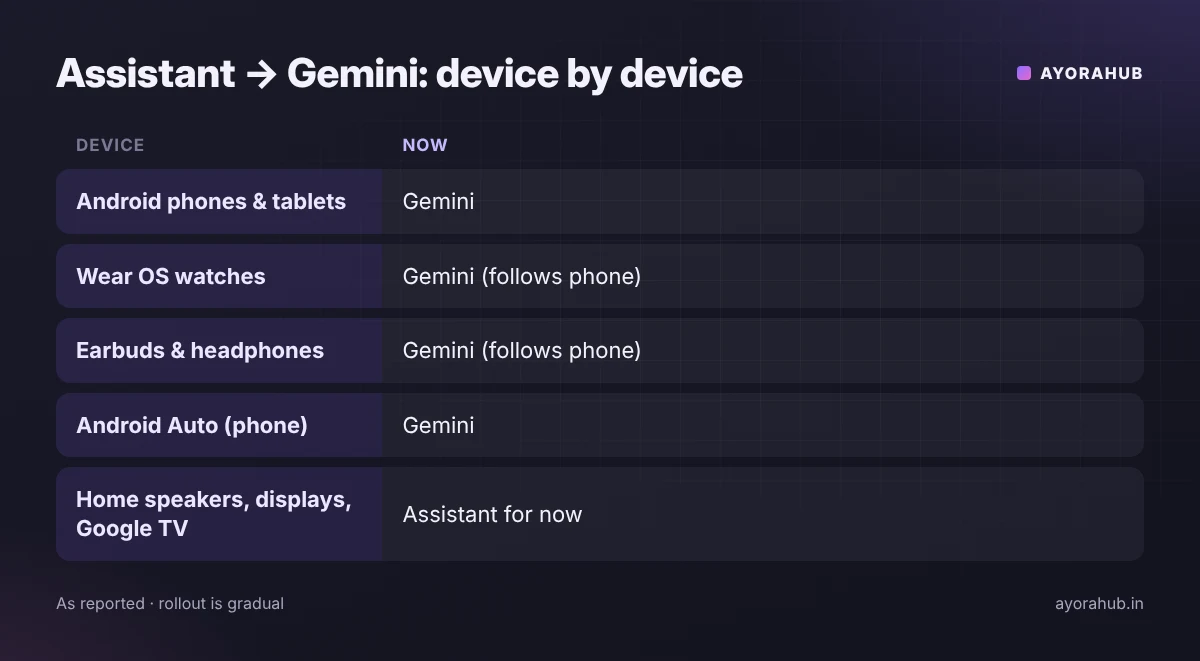
Quick answer (11 November 2026): Google Assistant is being shut down on phones and replaced by Gemini. Google set 4 September 2026 as the start of the removal on Android phones, tablets and Wear OS watches, with the change reaching users over several weeks. Saying “Hey Google” or long-pressing the power button now opens Gemini. Watches, earbuds and phone-based Android Auto follow your phone. Google Home speakers, smart displays and Google TV keep Assistant for now, with Gemini for Home arriving separately. Gains: a far more capable, conversational assistant. Losses: some simple Assistant routines and habits, and support for old phones that cannot run Gemini.
What happened
Google launched Assistant in 2016. After first aiming to retire it on phones by the end of 2025, Google extended the transition into 2026 and then began removing it from 4 September 2026. Reports from the time say the switch rolls out gradually, so not everyone changed on the same day.
What is going away, and what replaces it
| Device | Before | Now |
|---|---|---|
| Android phones and tablets | Google Assistant | Gemini (needs Android 10 or later and at least 2GB of RAM, as reported) |
| Wear OS watches | Assistant | Gemini, following the paired phone |
| Headphones and earbuds | Assistant | Gemini, following the phone |
| Android Auto (from your phone) | Assistant | Gemini once the phone switches |
| Cars with Google built-in | Assistant | Reported as not part of this change |
| Google Home speakers, displays, Google TV | Assistant | Assistant for now; Gemini for Home on a separate schedule |
What users gain
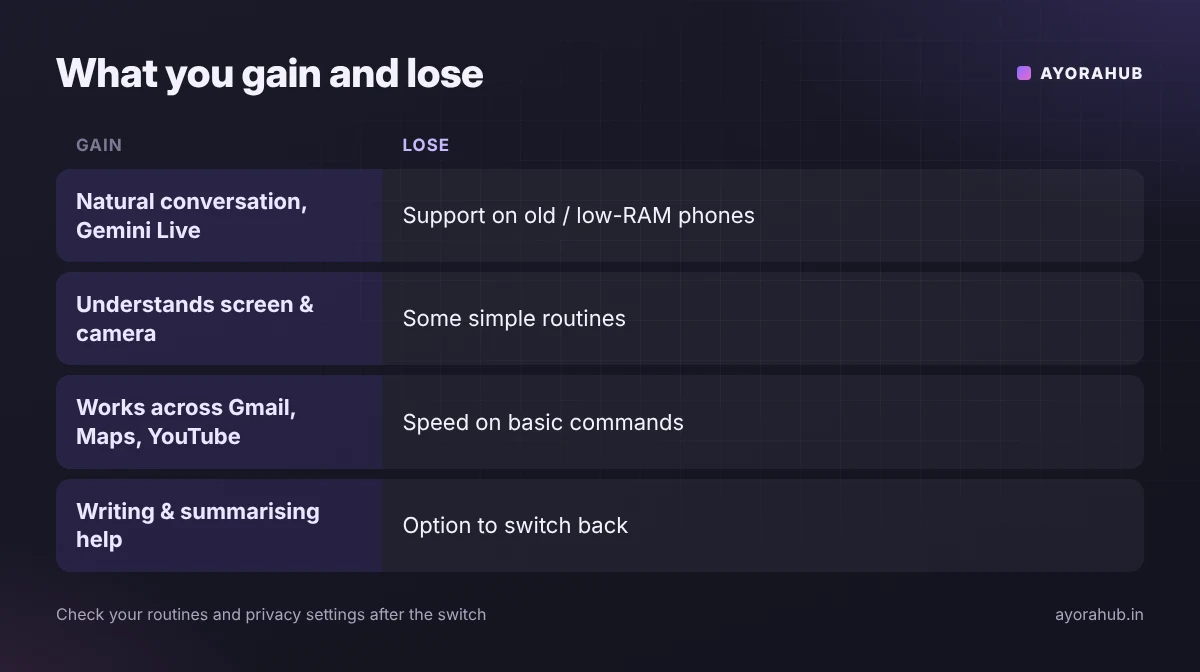
- Natural conversation: follow-up questions, longer requests and Gemini Live voice chats.
- Understanding of what is on screen and in your camera.
- Work across apps: Gmail, Calendar, Maps, YouTube and more in one request.
- Writing, summarising and image help that Assistant never had.
What users lose
- Old phones: devices that do not meet Gemini’s requirements lose their built-in assistant.
- Some simple features and routines may work differently or need to be set up again — check yours after the switch.
- Speed for basic commands: a large AI model can be slower than Assistant for timers and toggles.
- No way back: once Assistant is removed from a device, reports say you cannot return to it.
- Privacy trade-off: a more capable assistant sees more — review Gemini’s activity and app-access settings.
Who gains and who loses in the industry
| Gains | Loses |
|---|---|
| Google: one assistant to develop, and a path to paid Gemini plans | Owners of older or low-memory Android phones |
| Phone makers building on Gemini (Samsung, OnePlus, OPPO, Motorola) | Third-party “Actions” and services built for the old Assistant |
| Users who want real AI help | Users who only wanted fast, simple voice commands |
What you should do
- Update the Google and Gemini apps.
- Open Gemini → Settings and check which apps it can use.
- Test your daily commands: alarms, calls, smart-home scenes, navigation.
- Recreate any routines that stopped working.
- Review privacy: activity history and data used to improve the service.
Free and paid Gemini options are explained in Google AI plans; how Gemini compares on phones is in Apple Intelligence vs Galaxy AI vs Gemini.
Tools we recommend · Affiliate links: we may earn a commission if you sign up, at no extra cost to you.
Frequently Asked Questions
Is Google Assistant shutting down?
On Android phones, tablets and Wear OS, yes — removal began on 4 September 2026 and Gemini replaces it.
Will my Google Home speaker stop working?
No. Speakers, smart displays and Google TV keep Assistant for now; Gemini for Home is rolling out separately.
Can I keep using Google Assistant?
Only until it is removed from your device. After that, reports say you cannot switch back.
Does Gemini work on old phones?
Reports say Gemini needs Android 10 or later and at least 2GB of RAM, in a region where Gemini is available.
Is Gemini free?
The basic assistant is free. Paid Google AI plans add more powerful models and higher limits.
The bottom line
The end of Assistant on phones closes a ten-year chapter of simple voice commands and opens one of conversational AI. Most people gain a far smarter helper; a minority lose a fast, predictable tool or support on an old device. Check your routines and privacy settings once, and the switch should be painless.
More from Tech News
- OpenAI’s Businesses in ChatGPT: who wins and who loses
- Microsoft Publisher has ended: save your .pub files
- Why phone prices are rising in 2026
- WhatsApp usernames: how to reserve yours
How we report tech news
Each AYORAHUB news explainer follows the same structure: what happened, what is being added, what is going away, who gains and who loses, and what you should do. We use company announcements and established publications, name our sources, separate confirmed facts from reports and forecasts, and update the article when the story changes. Last checked: 11 November 2026.